Token Management
2 min
// Token Management
The Manage Tokens Dashboard allows you to:
- Issue new tokens
- Edit token names
- Activate or deactivate tokens
- Revoke issued tokens
- Create/Edit Boosted PhrasesBoost Phrases
- Create/Edit Find & ReplaceFind & Replace Pairs pairs
PRO TIP: Tokens should be rotated regulary and after key events to ensure security.
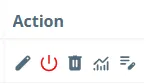
IMPORTANT: All issued tokens must be activated before use. To activate, click the red power icon under Actions.

Token Status | Description |
|---|---|
Issued | Token is created but has not been approved by ElevateAI for use |
Activated | Token is currently usable |
Deactivated | Token is not currently usable, but can be reactivated at any time |
Revoked | Token cannot be used and cannot be reactivated |
NOTE: Free accounts include one API token by default. Paid accounts may use up to five concurrent tokens.
Thinking about an upgrade? Contact the ElevateAI Sales & Partnerships Team for assistance.
Need more help? Contact the ElevateAI Support team.